When I joined Arco’s Backoffice team, I moved from designing within a single product to working on the shared platform that connected products across more than 12 education brands.
That shift exposed a very different kind of design problem. The Backoffice had become the operational layer for a growing ecosystem of tools, teams, and brands. It supported 1,866 active operators, and nearly a third of them were external collaborators.
The Problem
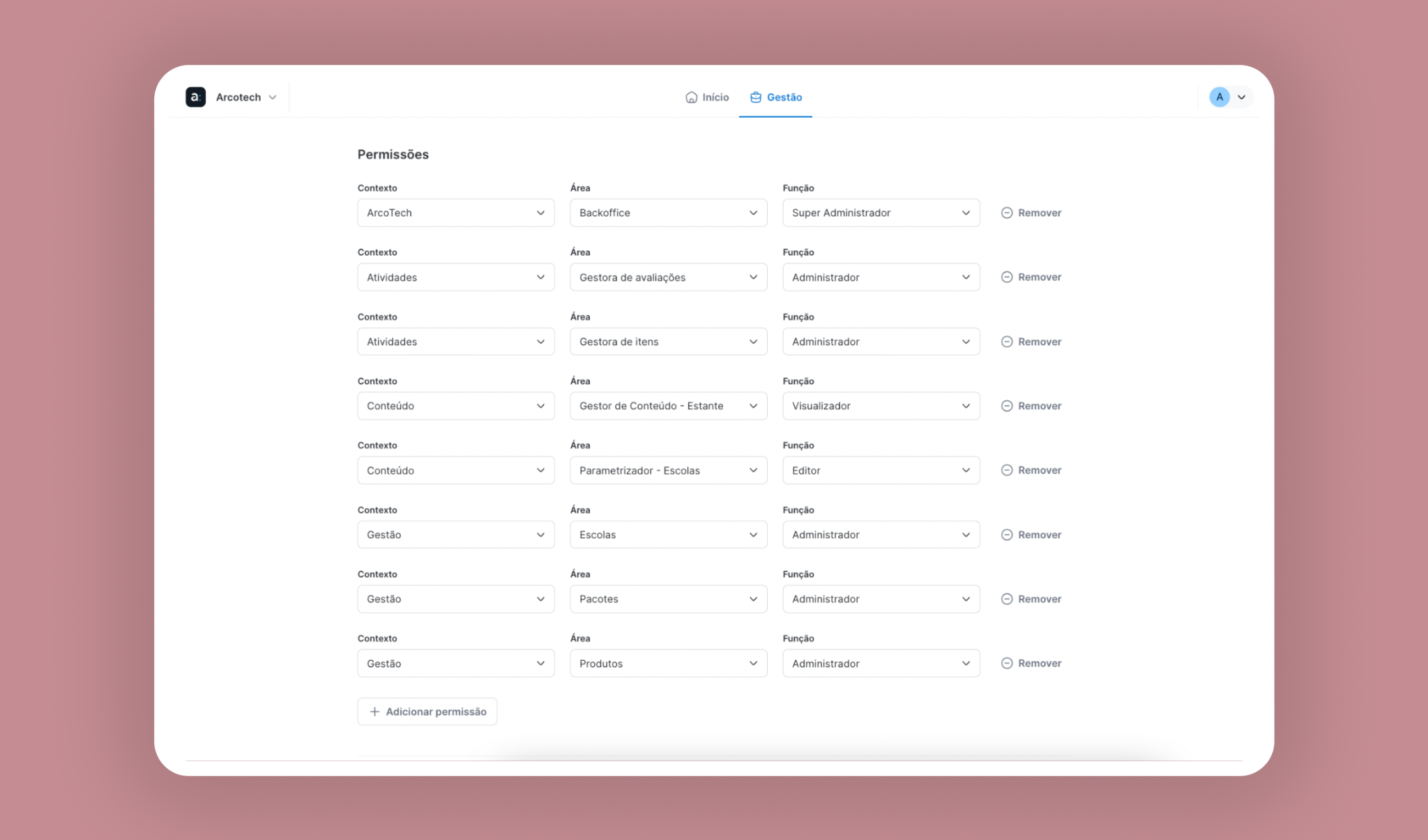
Backoffice’s access control and permissions were still largely configured person by person and product by product. If someone needed access to three tools, an administrator had to add and configure those three contexts individually. Similar users could end up with different permissions simply because their access had been set up at different times or by different people.
A large part of that work also lived outside the product. Access requests came through Slack, while Support and Engineering often had to step in to configure or revoke permissions manually.
The research
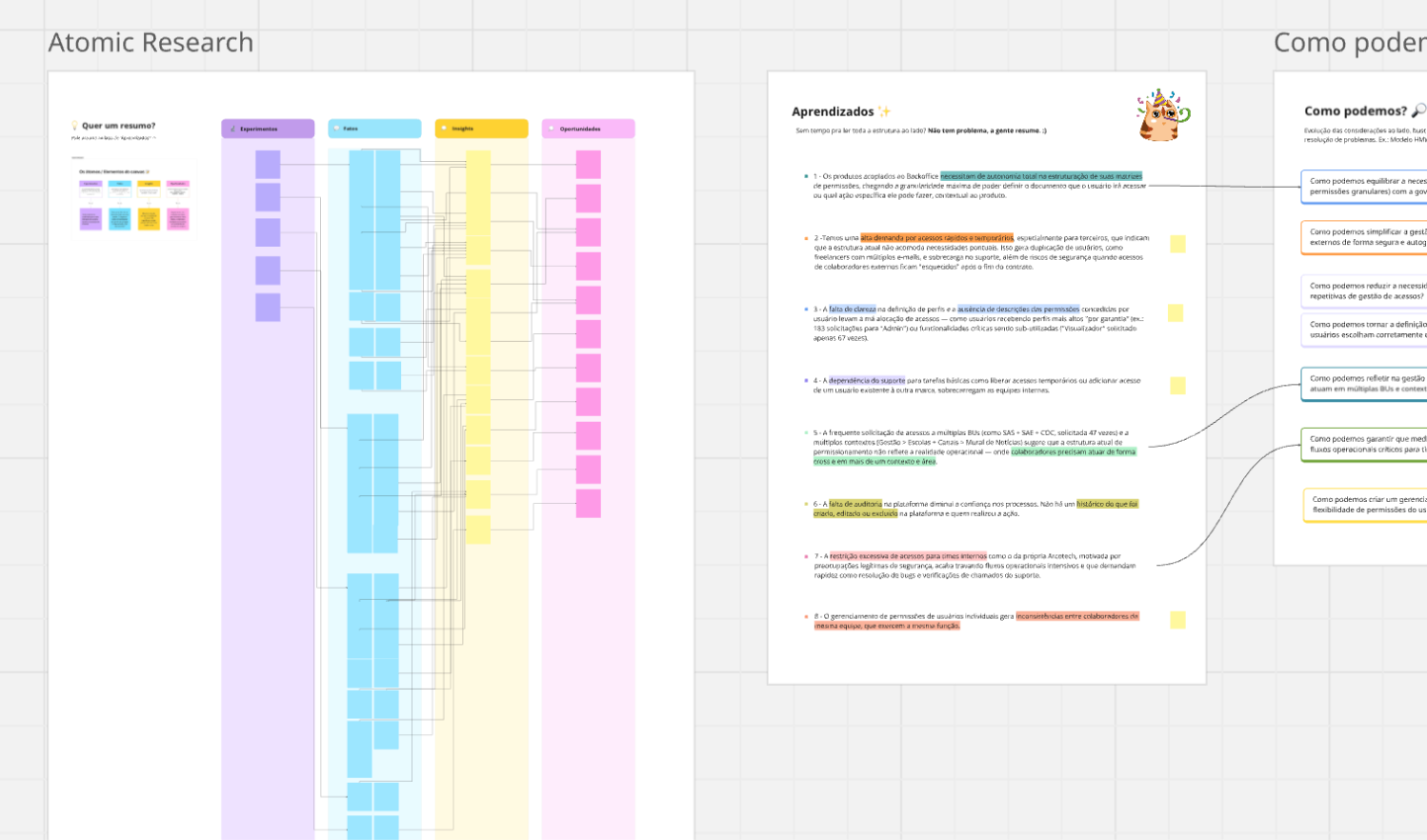
Before redesigning the model, we needed to understand how different teams were using the system as a whole, including how they requested, used, and removed access across the Backoffice ecosystem.
We spoke with teams from Editorial Production, Digital Content, Operations, Finance, and connected product areas, covering both the people managing day-to-day access and the product teams affected by permission changes.
Through those interviews, we learned that some teams depended heavily on temporary external collaborators. Others worked across multiple brands and business units. Product teams needed freedom to define roles specific to their own workflows, and Support had effectively become part of the permissioning system: so many routine changes still required manual intervention, taking productive time out of their work week.
Overall, three main problems became our priorities:
- Operational overhead
The same access structures were repeatedly recreated user by user.
- Inconsistency
People performing similar jobs could end up with different levels of access.
- Security risk
External collaborators could retain access after their work had ended, and access changes were difficult to audit because everything was managed manually.
Key findings
01 · Access wasn’t binary
Different products required different responsibilities. A person could be an Administrator in one product, a Reviewer in another, and only a viewer somewhere else. Our access model needed to accommodate those differences without returning to individual permission keys.
02 · Teams already represented access patterns in real life
People working in the same operational team usually needed access to the same set of products. This created the opportunity to stop looking at access and roles individually. Instead, the team itself could become the container defining which resources its members should be able to access.
03 · Roles needed to remain product specific
Sharing the same resource doesn’t always mean everyone should be able to perform the same actions. Each product also has its own set of responsibilities, such as Author, Question Reviewer, Exam Collaborator, School Viewer, or Administrator.
The system therefore needed to standardize access to products while allowing each product to define which roles made sense within it.
04 · External access needed to be a separate set
With 31% of operators being external users, treating every account as permanent introduced risks across the system. Guest access needed its own lifecycle, with a defined expiration date.
Structuring the Implementation
I partnered closely with Engineering to translate the research findings into a permission model we could actually implement.
We explored the relationships between people, teams, resources, roles, and granular permissions and used a technical spike to test how those relationships could work across the Backoffice ecosystem without forcing administrators to manage backend-level complexity.
The spike helped us validate an important direction:
Teams could define the Resources people usually needed, while Roles could define what each person was allowed to do inside those Resources.
That gave us a model that was both reusable and flexible:
Person
Who needs access.
Team
Where they belong.
Resources
Which products they can access.
Role
What they can do in each product.
Let Teams define where people can work
Let membership carry the shared access.
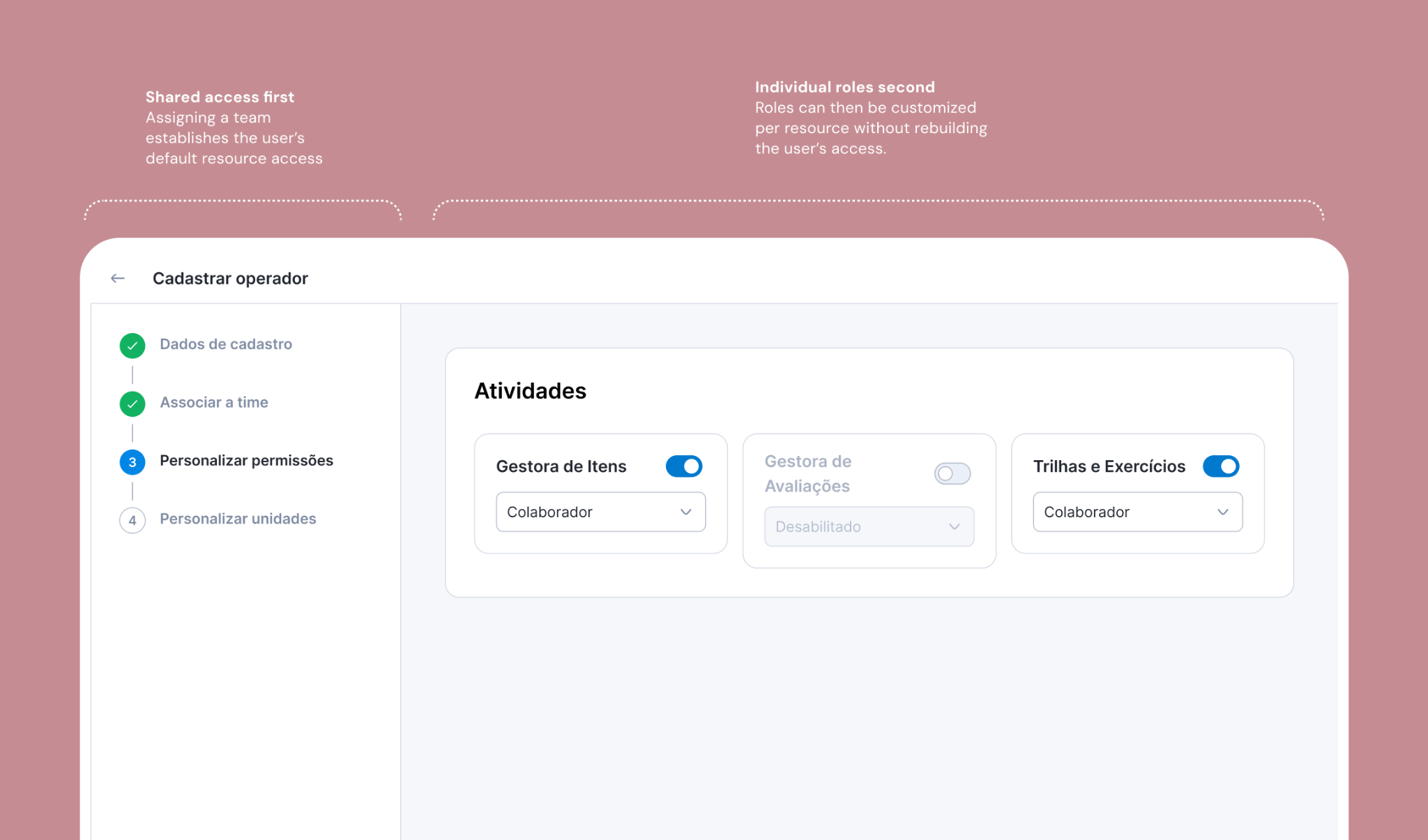
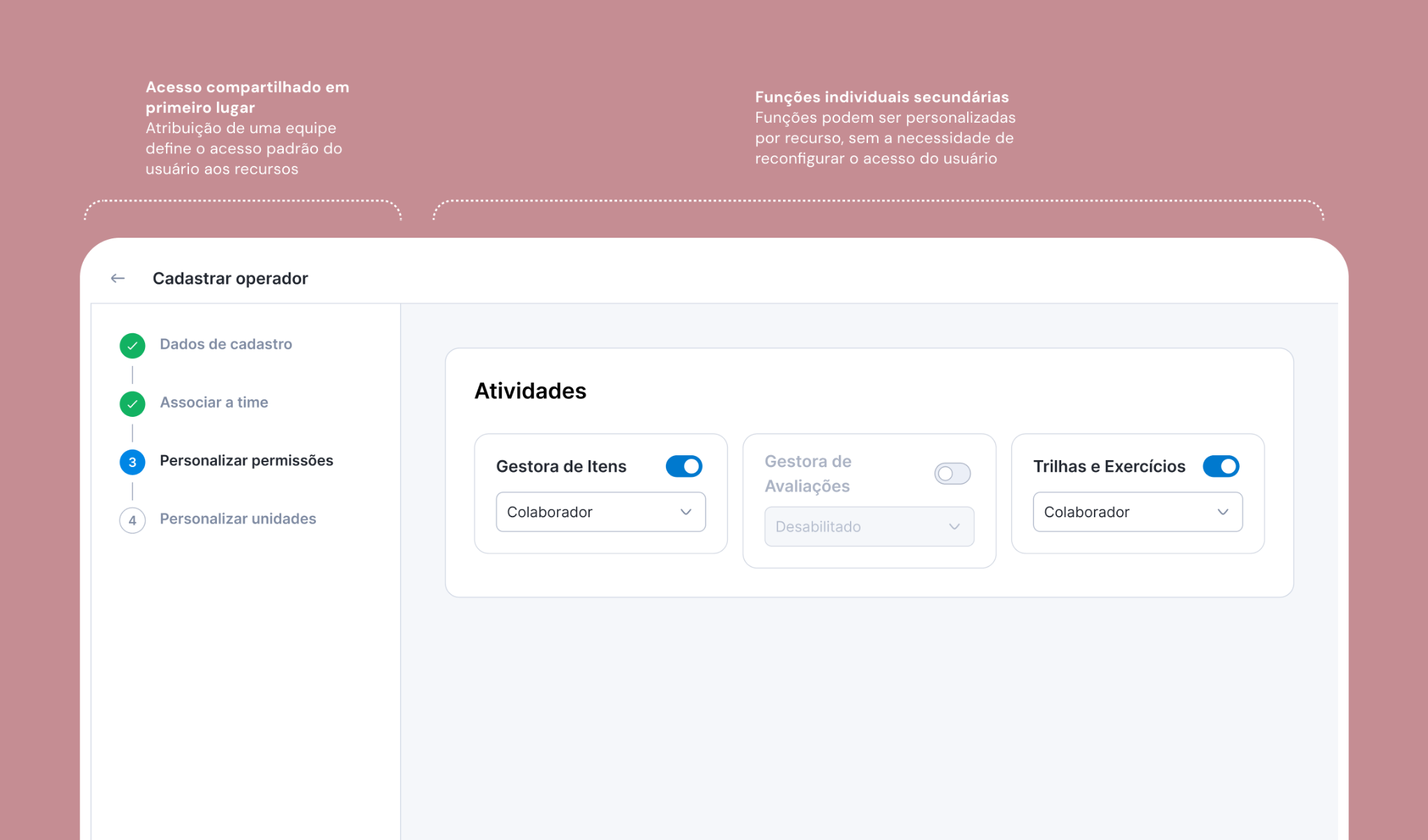
When an admin assigns a user to a team, the user receives that team’s resources automatically. This replaces the need to add the same person separately to every product.
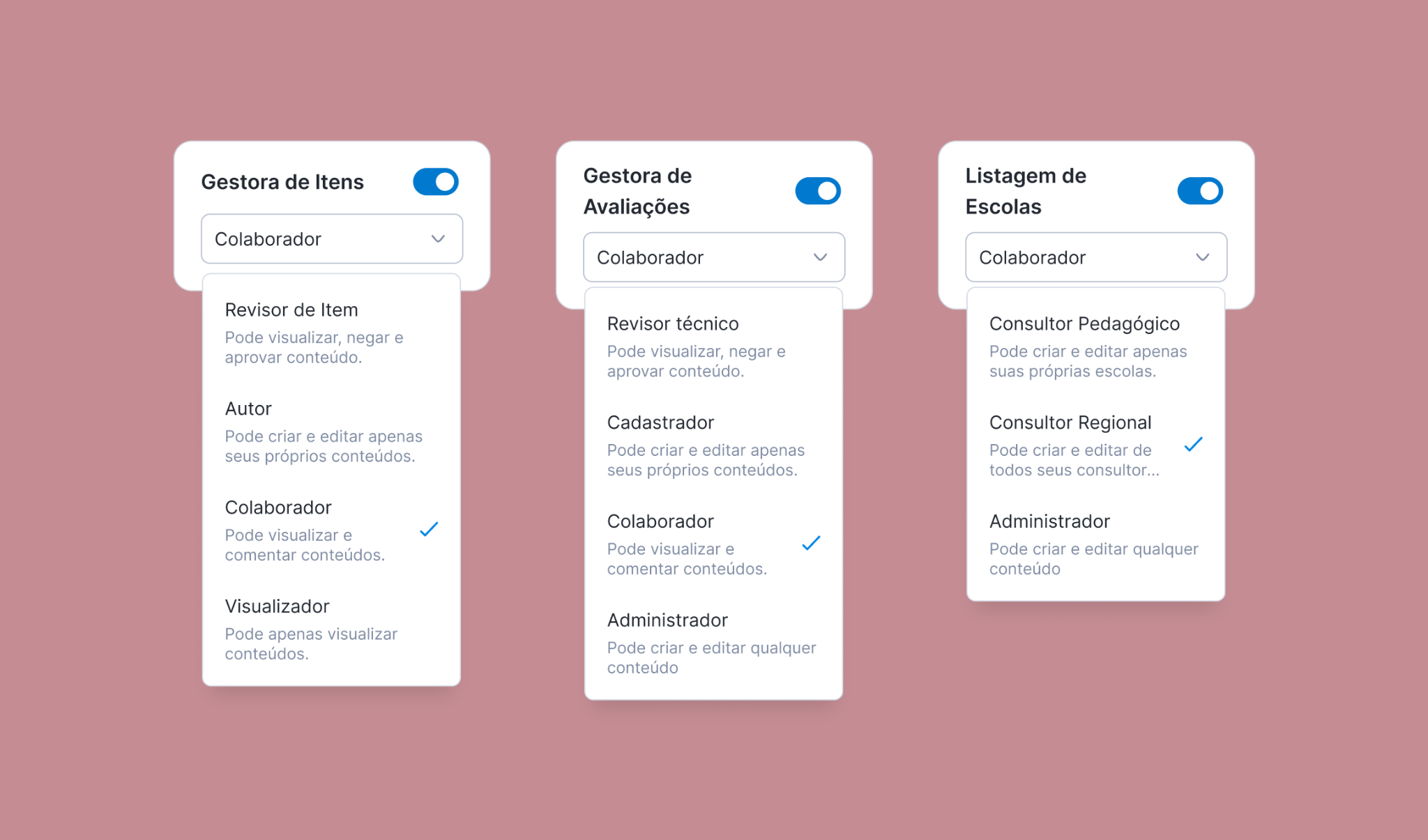
Keep product-specific roles available.
Shared resources do not imply identical responsibilities. The final step allows the admin to personalize roles—for example, a reviewer in Item Management System—while staying within the same registration flow.
This preserves product-level flexibility within a common structure. The design makes inherited access and role selection part of a single understandable workflow.
Outcome
The new access model moved Backoffice permissioning from manual, product-by-product configuration to a centralized and reusable governance system. It reduced operational dependency on Support and Engineering, automated recurring access flows, and made identity, permissions, and access lifecycles consistently traceable across the ecosystem.
Key learnings
The technical model shouldn’t become the user’s mental model.
An authorization engine still needed to be translated into concepts administrators could understand: people, teams, resources and responsibilities.
Platform consistency and product autonomy can coexist.
The access model was shared across the ecosystem, but individual products could define roles that reflected how work actually happened inside their domain.